Official MTC Format
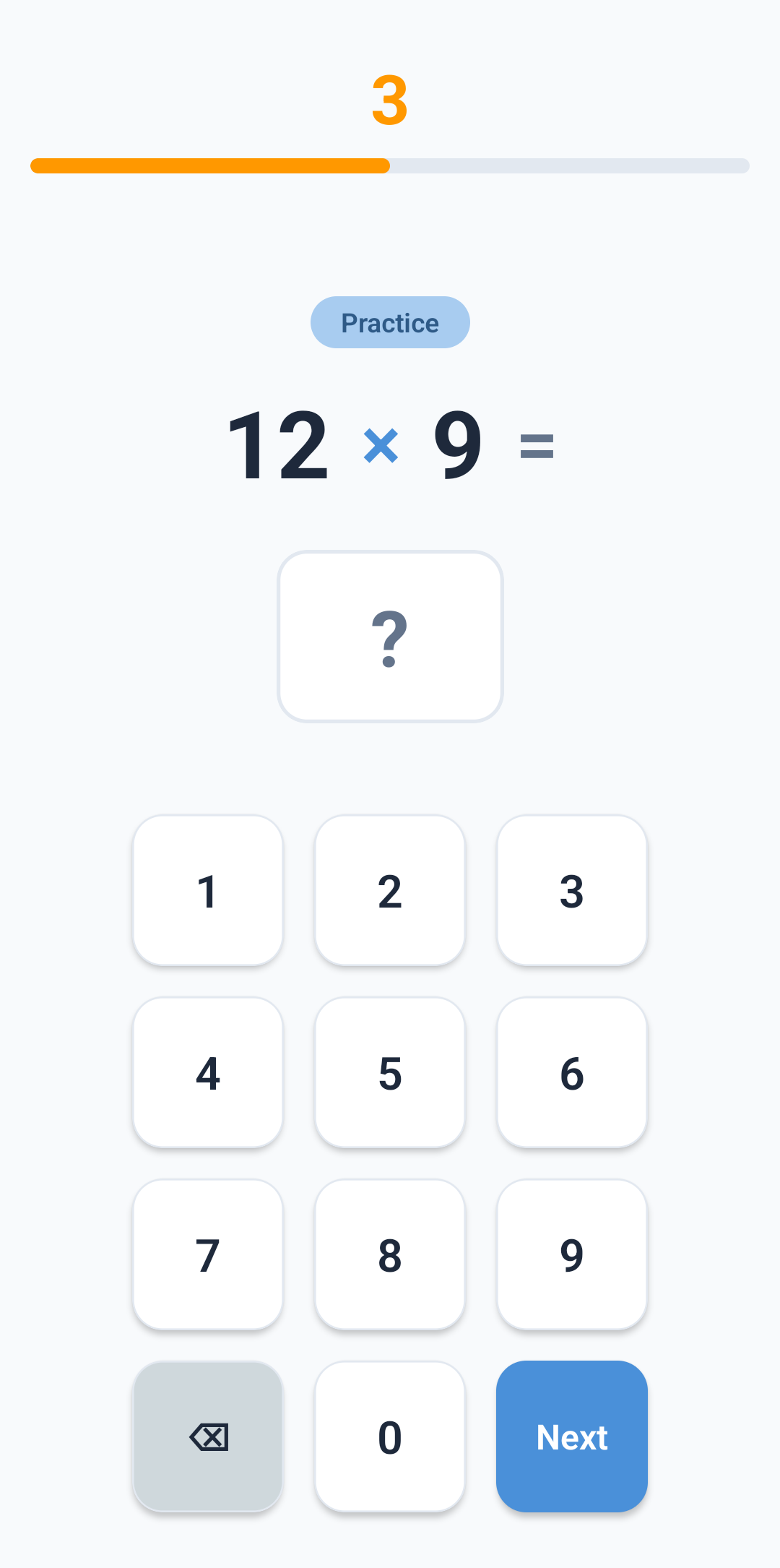
Exact replica of the real test: 3 practice questions, 25 scored questions, 6 seconds each. Your child will know exactly what to expect.
Dedicated modes for classroom and home. TV companion display for whole-class practice. Multiple child profiles on one device. Answer sheet scanning. Progress tracking. One app, one purchase, everything you need for the June check.
Available now on Android - iOS coming soon
Teachers need to run whole-class practice sessions on the big screen. Parents need something that works for multiple siblings without juggling accounts. Everyone needs something that just works - even without WiFi.
MTC Practice gives you dedicated Teacher and Child modes, TV companion display for classroom delivery, multiple profiles on one device, and works 100% offline. Buy once, use forever - no subscriptions, no recurring fees.
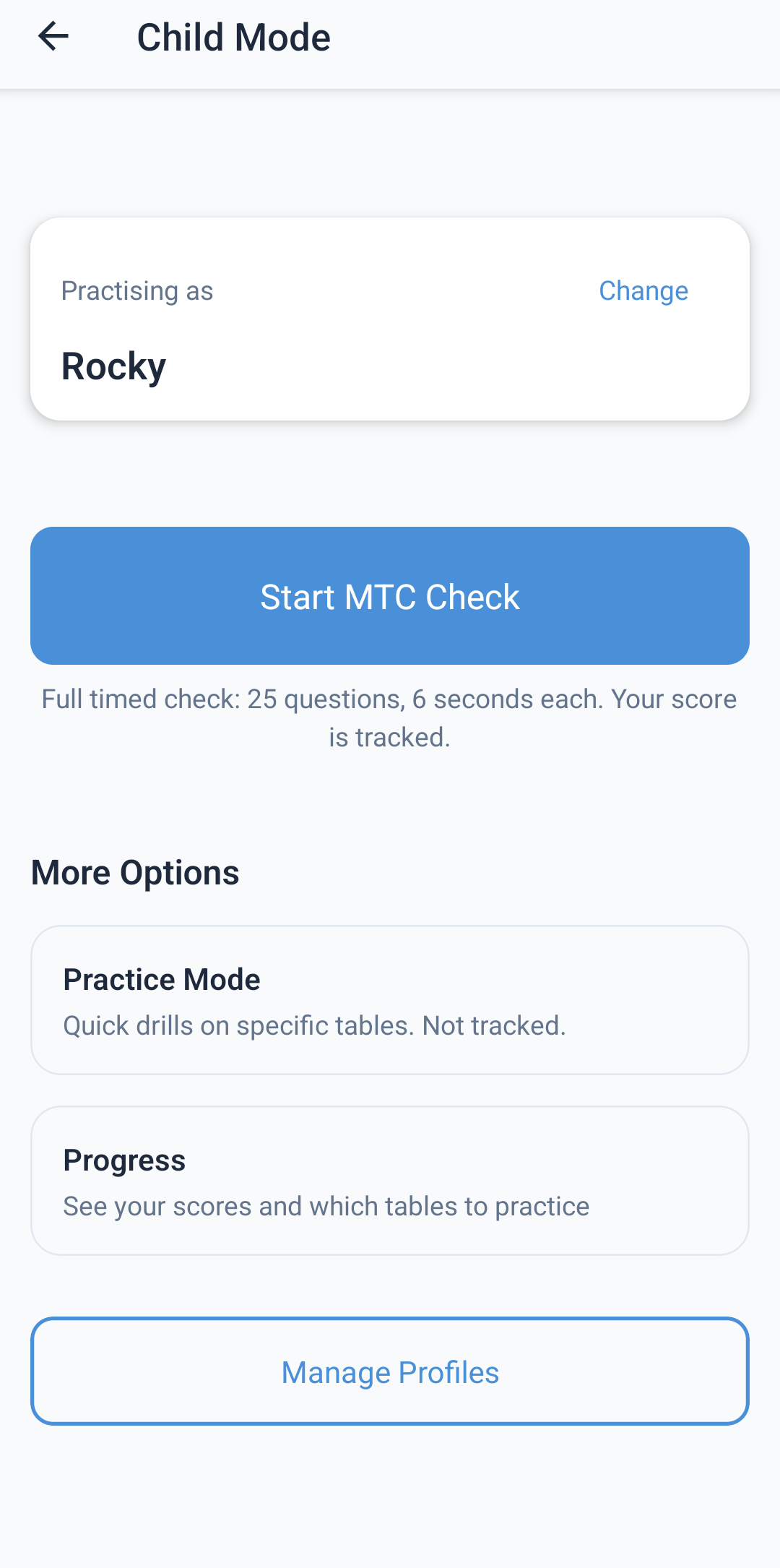
Multiple children? One device. No accounts. No fuss.
Exact replica of the real test: 3 practice questions, 25 scored questions, 6 seconds each. Your child will know exactly what to expect.
Create profiles for each child with fun animal avatars. Siblings can share one device while tracking progress separately.
Focus on specific times tables. Adjust the timer (6s, 10s, or off). Choose 10, 25, or endless questions. Practice at your own pace.
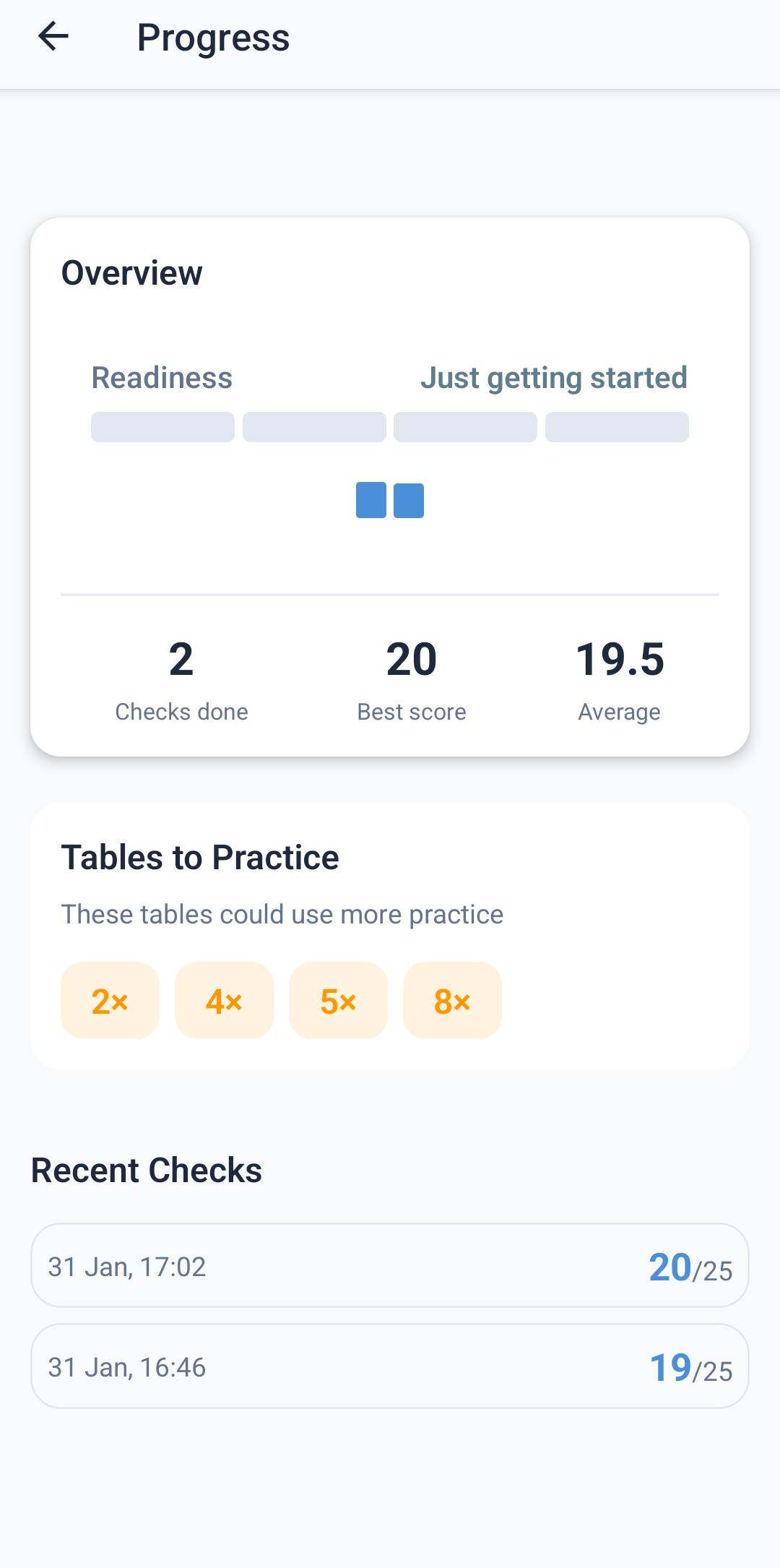
Visual score history, best and average scores, total checks completed. See improvement over time and identify weak tables.
After each check, review every answer. See what was correct, what was wrong, and learn from mistakes without pressure.
One-tap access to practice the trickiest tables (6, 7, 8, 9, 12). Target weak areas identified by progress tracking.
TV display mode, answer sheet scanning, class management - everything in one app
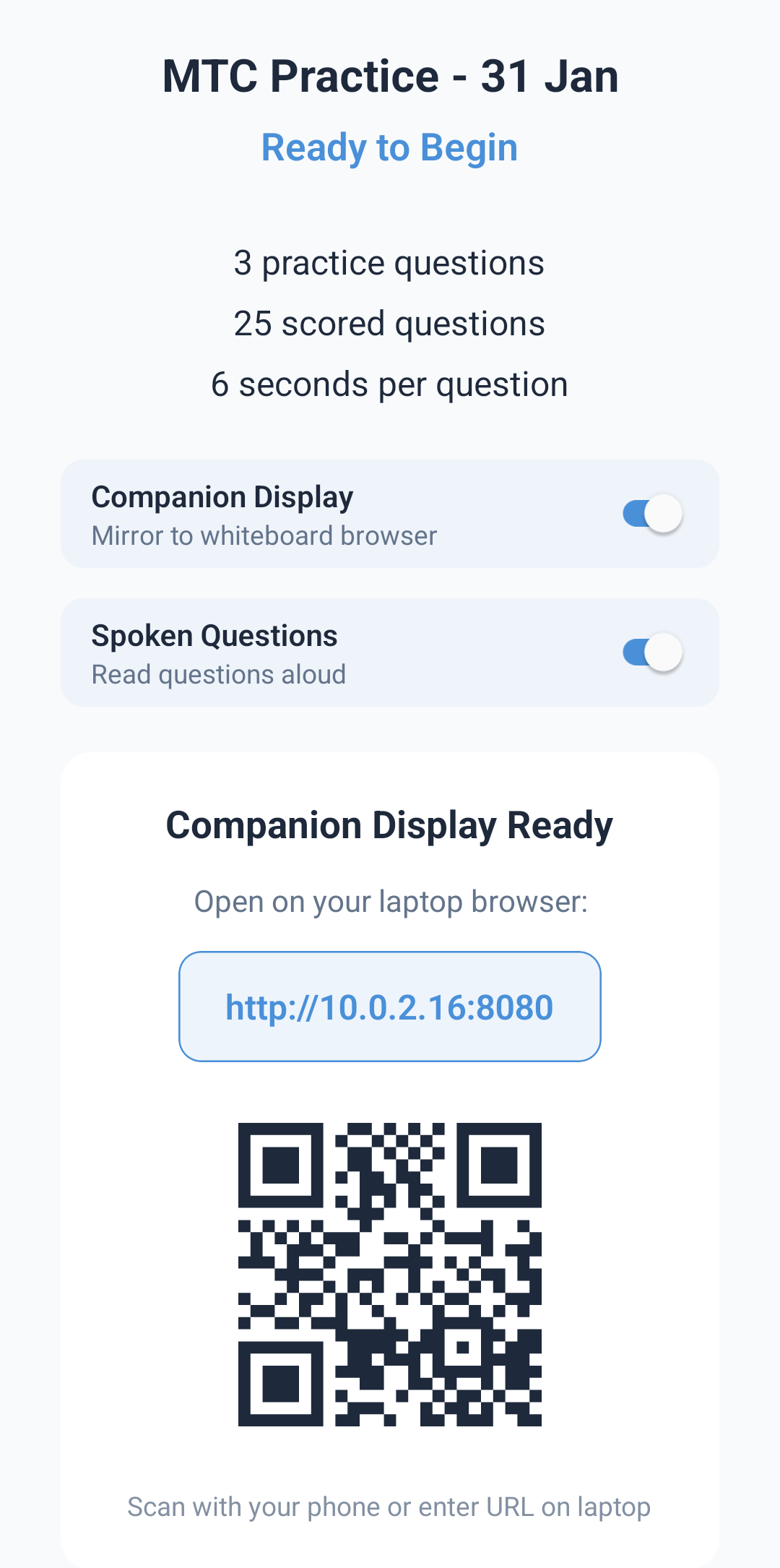
Display questions on your classroom projector or interactive whiteboard. Large, clear text that every pupil can see. Runs entirely on your local network - no internet required.
Question 12 of 25
9 × 7 = ?
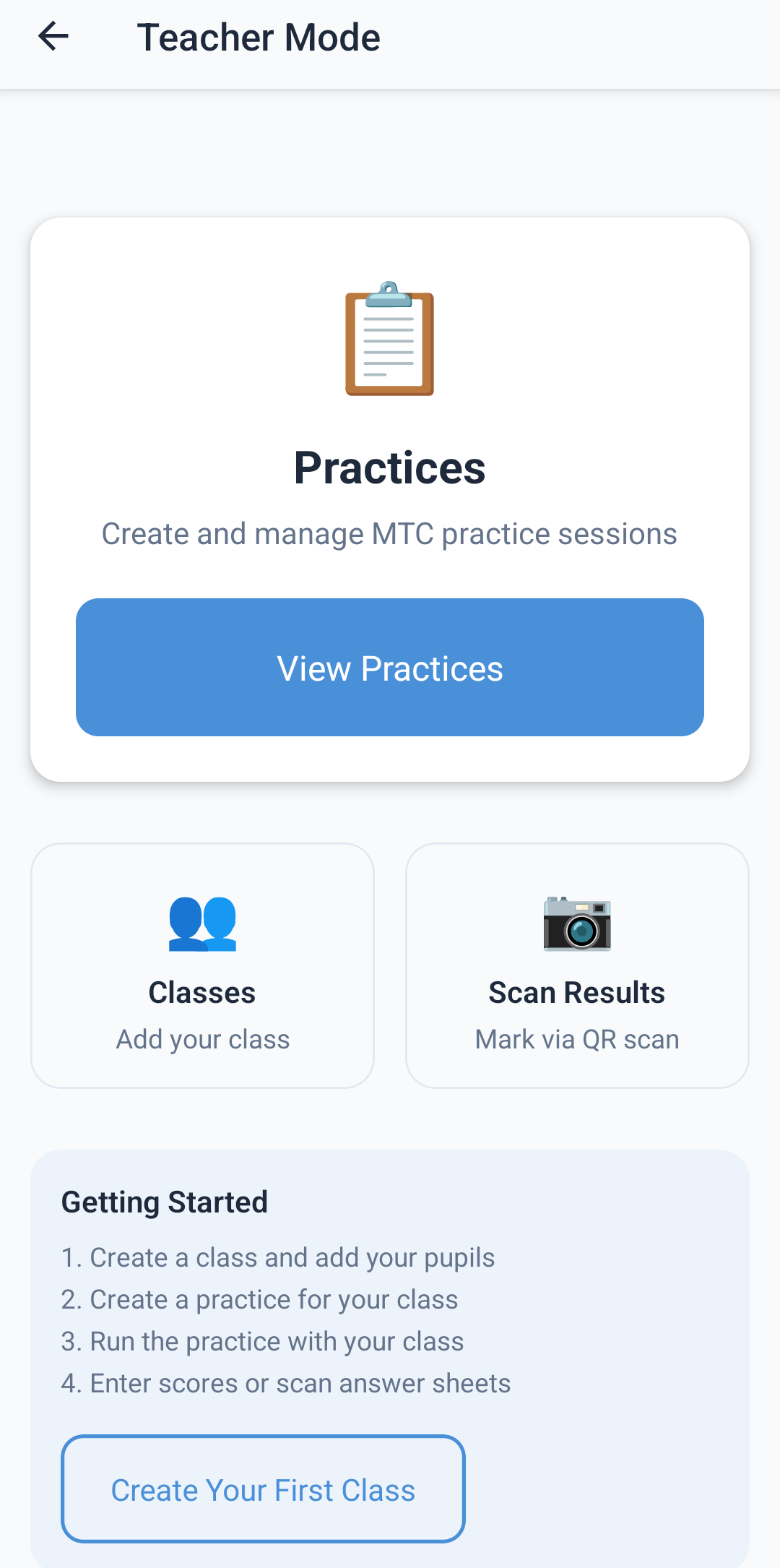
Create classes, add pupils, track progress at individual and class level. See average scores and identify pupils who need extra support.
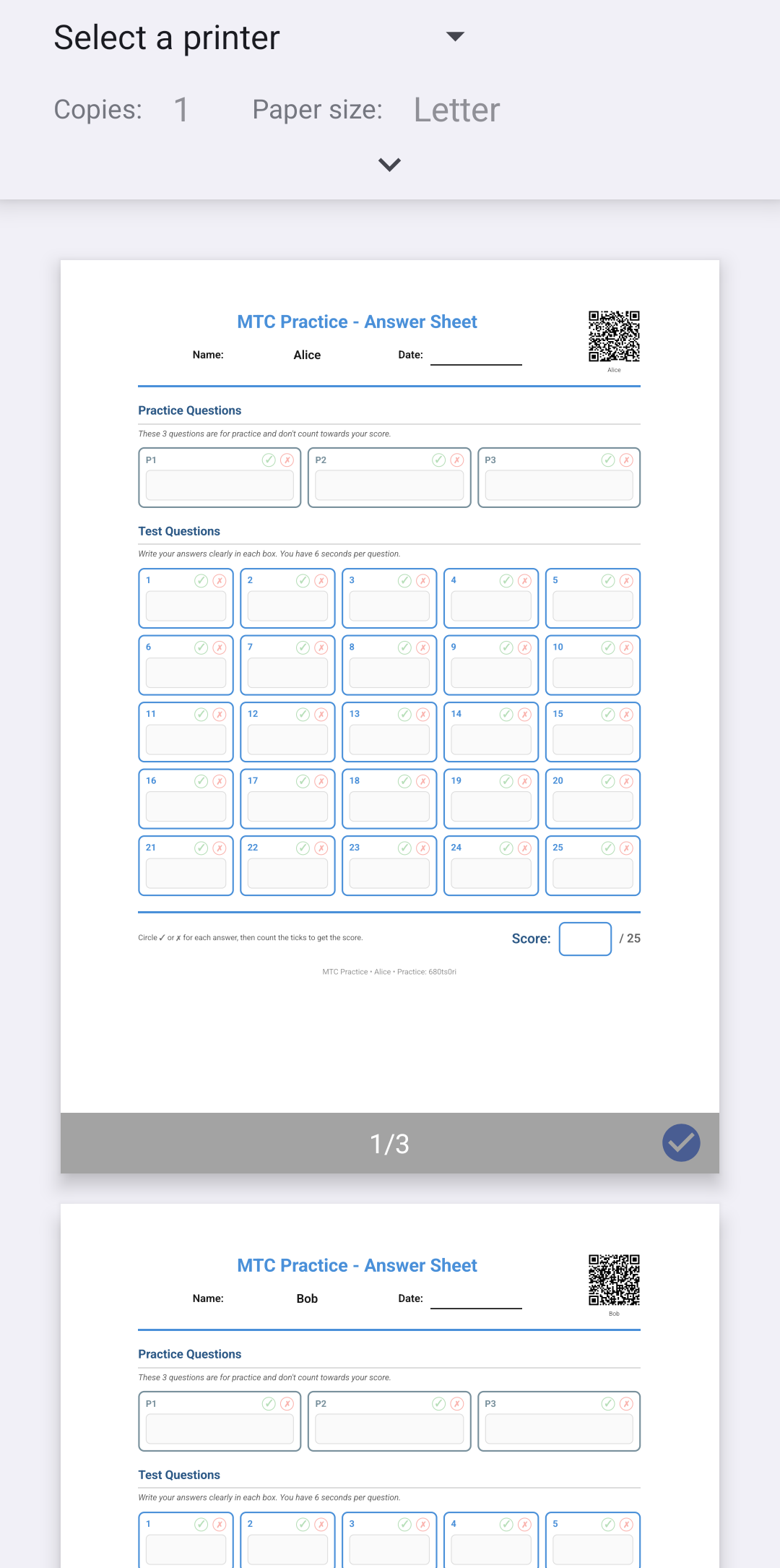
Generate printable answer sheets with QR codes. Scan to quickly mark and record scores. No manual data entry required.
Create printable answer sheets on-device. Share via any method. Perfect for paper-based assessment when needed.
Enter scores for your entire class in one quick grid. See who's completed the practice and who still needs to submit.
Protect teacher mode with Face ID, Touch ID, or device PIN. Keep pupil data secure and prevent accidental access.
Create and manage multiple practices. Organise by status (Ready, In Progress, Completed). Add term and year info.
Comprehensive SEN-friendly features built from the ground up
OpenDyslexic font option throughout the entire app
Enhanced contrast for easier reading
Minimum 44pt buttons for easy interaction
Follows system preferences automatically
Every question can be read aloud
Customise how fast questions are spoken
Uses system TTS - no internet needed
Can be disabled for quieter practice
Muted colours, minimal animations
"Building confidence" not "Failed"
Consistent patterns throughout
Respects system accessibility settings
Full screen reader compatibility
All elements correctly labelled
All actions have button alternatives
Simple tap entry, no typing required
No internet? No problem. MTC Practice works 100% offline - in the car, on the train, in areas with poor signal, or in classrooms with unreliable WiFi. Everything stays on your device, ready when you need it.
No analytics, no crash reports, no usage tracking
Start practicing immediately. No email, no password
All progress stored locally on your device only
One button to permanently erase all local data
Works perfectly without any internet connection
What we store
Your scores and settings - locally, on your device
What we collect
Nothing. Zero. Zilch.
No subscriptions. No monthly fees. No annual renewals. One purchase unlocks everything - forever.
Perfect for parents
Home Practice included, plus classroom tools
Try before you buy: Download free and complete one full MTC practice check at no cost.
No setup, no accounts, no hassle
Get MTC Practice from Google Play. Works on phones and tablets.
Start immediately with no account. 3 practice questions, then 25 scored - just like the real MTC.
Track progress, identify weak tables, and build confidence for the June check.
The MTC is a statutory assessment for Year 4 pupils in England, typically taken in June. It tests whether children can fluently recall their multiplication tables from 2×2 to 12×12. The test consists of 25 on-screen questions with 6 seconds allowed per question. Our app replicates this format exactly so children know what to expect.
Yes, completely. MTC Practice is 100% offline and collects zero data. There are no accounts, no cloud storage, no analytics, and no third-party services. All progress and scores are stored locally on your device only. You can delete all data anytime with one button. We can't see any of your data because we never receive it.
MTC Practice includes comprehensive accessibility features: dyslexia-friendly font (OpenDyslexic), high contrast mode, text-to-speech for all questions with adjustable speed, large touch targets (44pt+), calm low-stimulation design, non-judgmental language, reduce motion option, and full VoiceOver/TalkBack screen reader support. All these features are free and built-in.
TV Mode creates a local display that you can project onto your classroom screen or interactive whiteboard. It runs through your school's local network - no internet required. Simply start a practice on your phone/tablet, and open the display URL on any browser connected to the same network. Questions appear in large, clear text with automatic timing and countdown.
No. MTC Practice is a one-time purchase only. Pay once, use forever. There are no subscriptions, no recurring fees, and no in-app purchases beyond the initial unlock. Home Practice is £2.99 and Teacher Tools is £9.99 (includes all Home Practice features) - both are permanent, lifetime purchases.
Yes! With the Home Practice unlock, you can create multiple child profiles with fun animal avatars. Each child's progress is tracked separately, so siblings can share one device while keeping their scores and history independent.
The iOS version is currently in development and will be available on the App Store soon. In the meantime, you can download MTC Practice on any Android phone or tablet from Google Play.
Download free and try a complete MTC practice check at no cost.
Buy once, use forever - from just £2.99.
Available now on Android - iOS coming soon